TAKS For salons, barbers, spas, clinics and studios
Bookings without the back‑and‑forth.
Give customers one link to pick a service, choose a time and pay a deposit. You get a full calendar instead of a full inbox.
- Free plan, no card needed
- Live in about 10 minutes
- Deposits go to your bank
Crown & Coils
Braids & locs, Ikeja
Knotless braids
4 hrs with Temi
deposit to book
Available times
Tap a time to try it
Saturday,
Knotless braids
You’re booked
Saturday, with Temi
Deposits through the providers your customers already trust
A booking shouldn’t take a whole conversation.
When every appointment happens in your DMs, you lose hours replying, slots get double-booked and people who never paid don’t think twice about not coming.
Booking in your DMs
Saturday comes. They don’t.
Booking with Converbold
- Chioma taps your link in your Instagram bio
- Picks Saturday at 2:00pm, the only times shown are free ones
- Pays the deposit by card or transfer
- It’s on your calendar. You didn’t type a word.
About a minute, while you’re with another customer.
Set it up once. Take bookings while you work.
Three steps, and most people finish them over a cup of tea.
-
1
Add your services and hours
Prices, how long each takes, the deposit you want and when you’re open. Add your team if you have one.
-
2
Share your link
Put it anywhere customers find you: your bio, your WhatsApp status, your Google profile.
-
3
Customers book and pay
The booking lands on your calendar and the deposit goes to your bank.
See the dashboard before you sign up.
These are real screens from a braiding studio’s account. Pick one to look around.
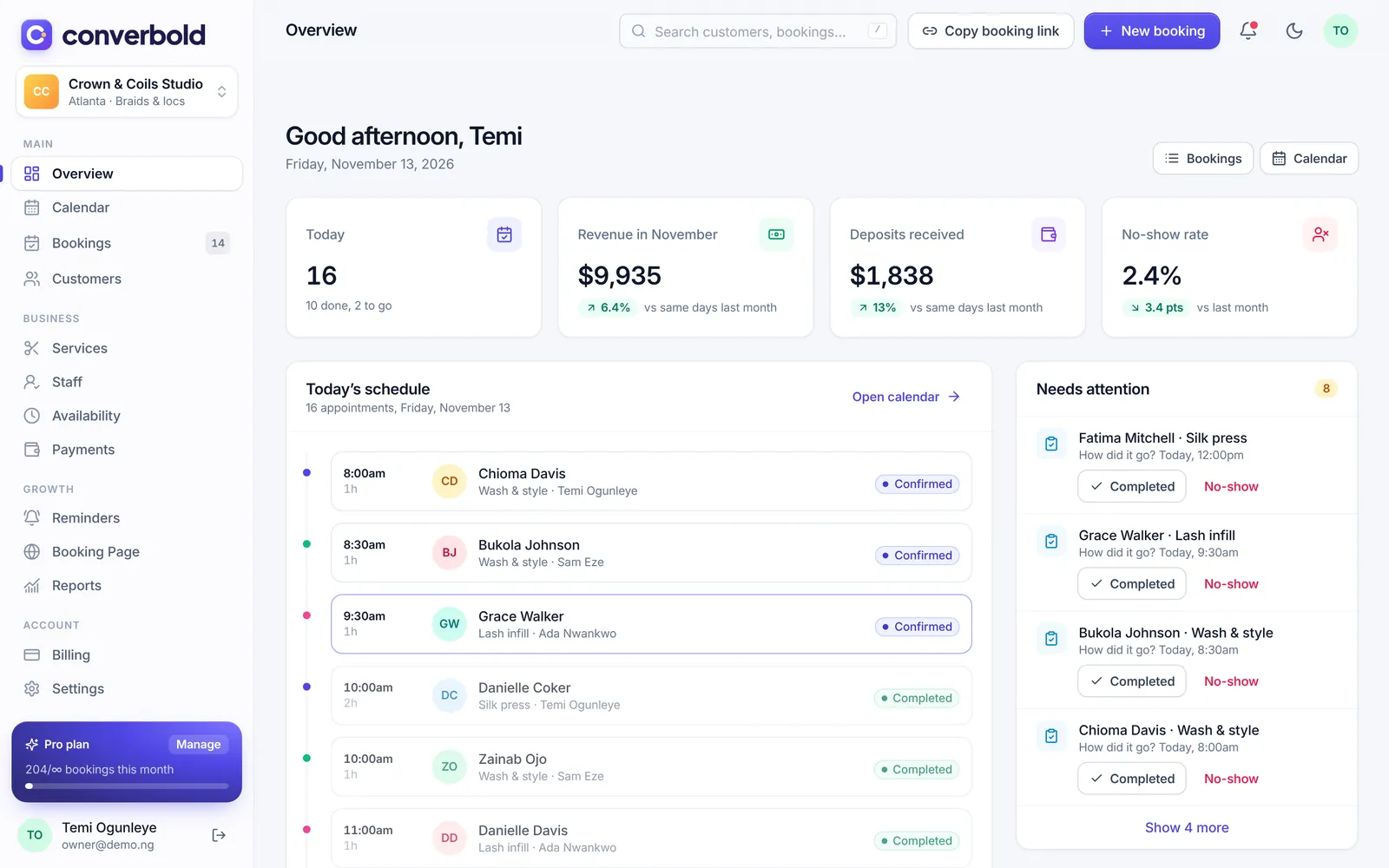
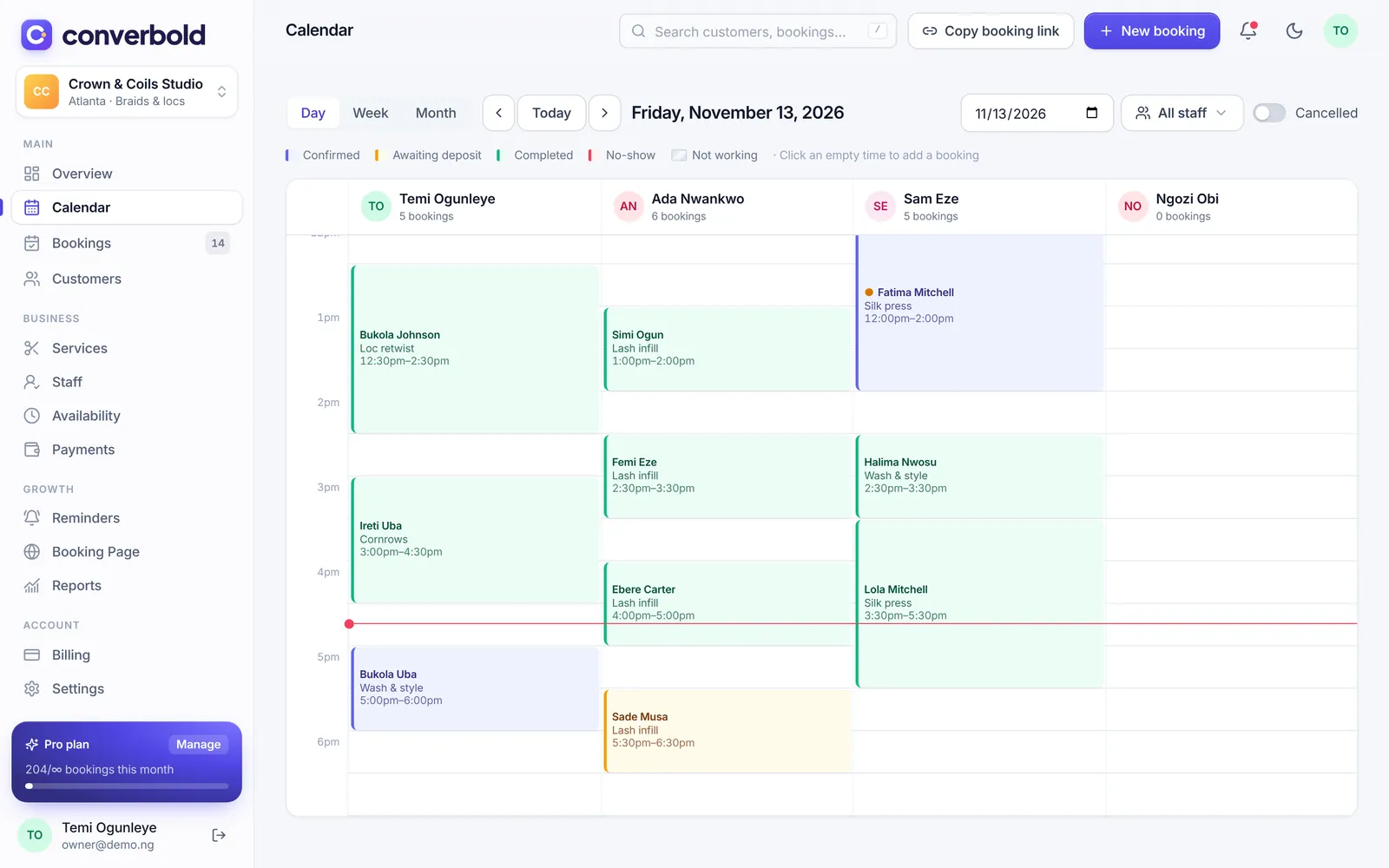
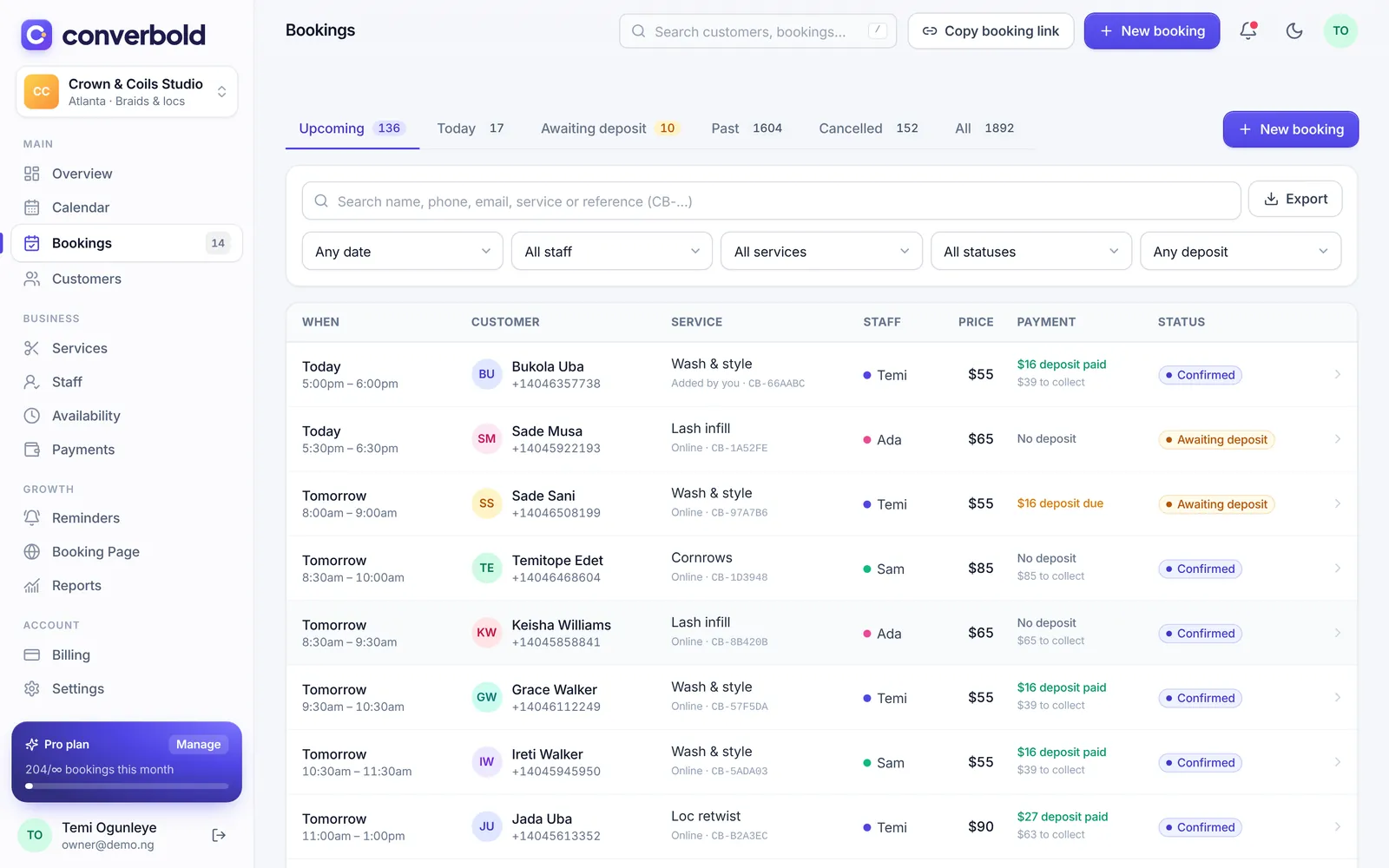
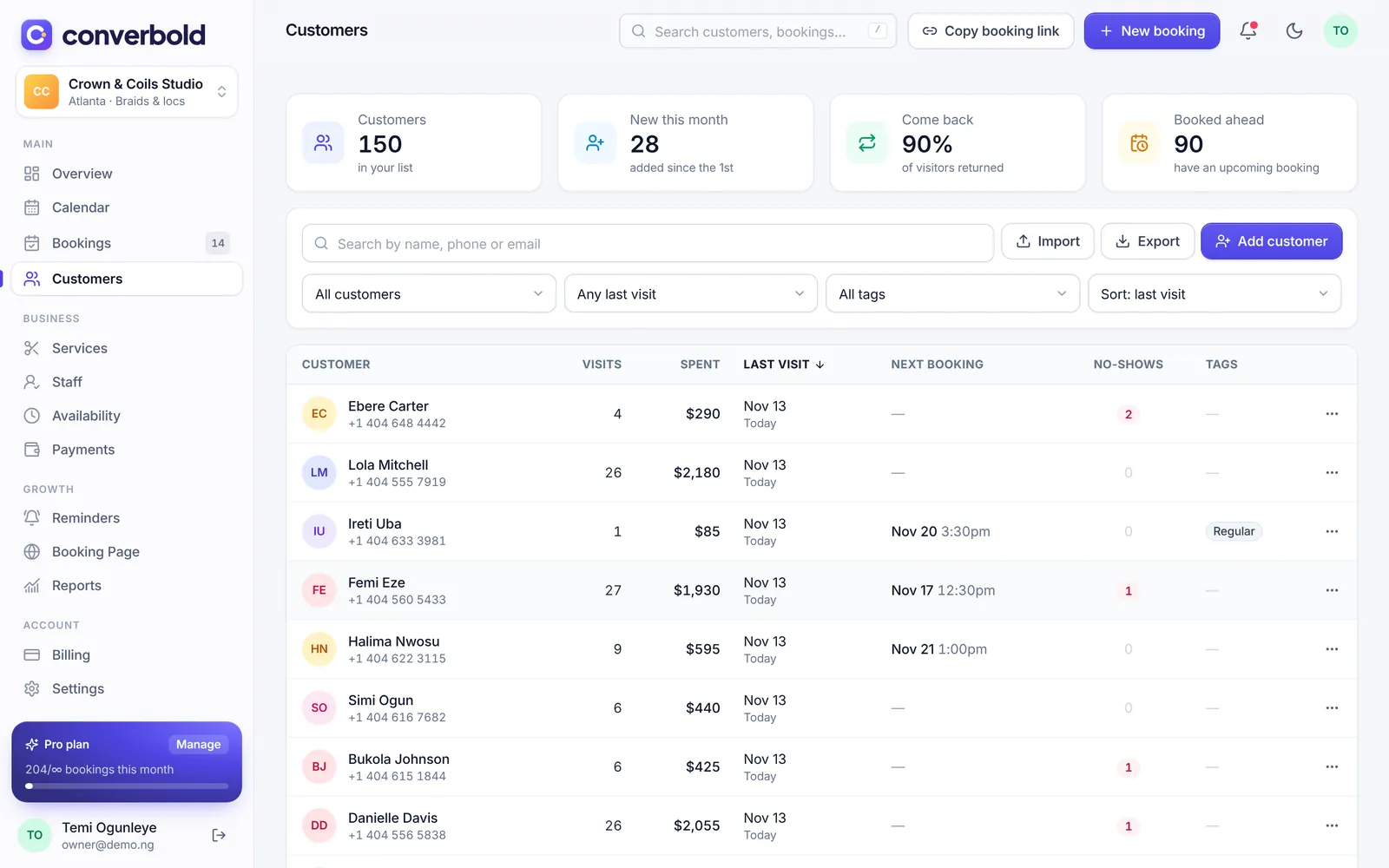
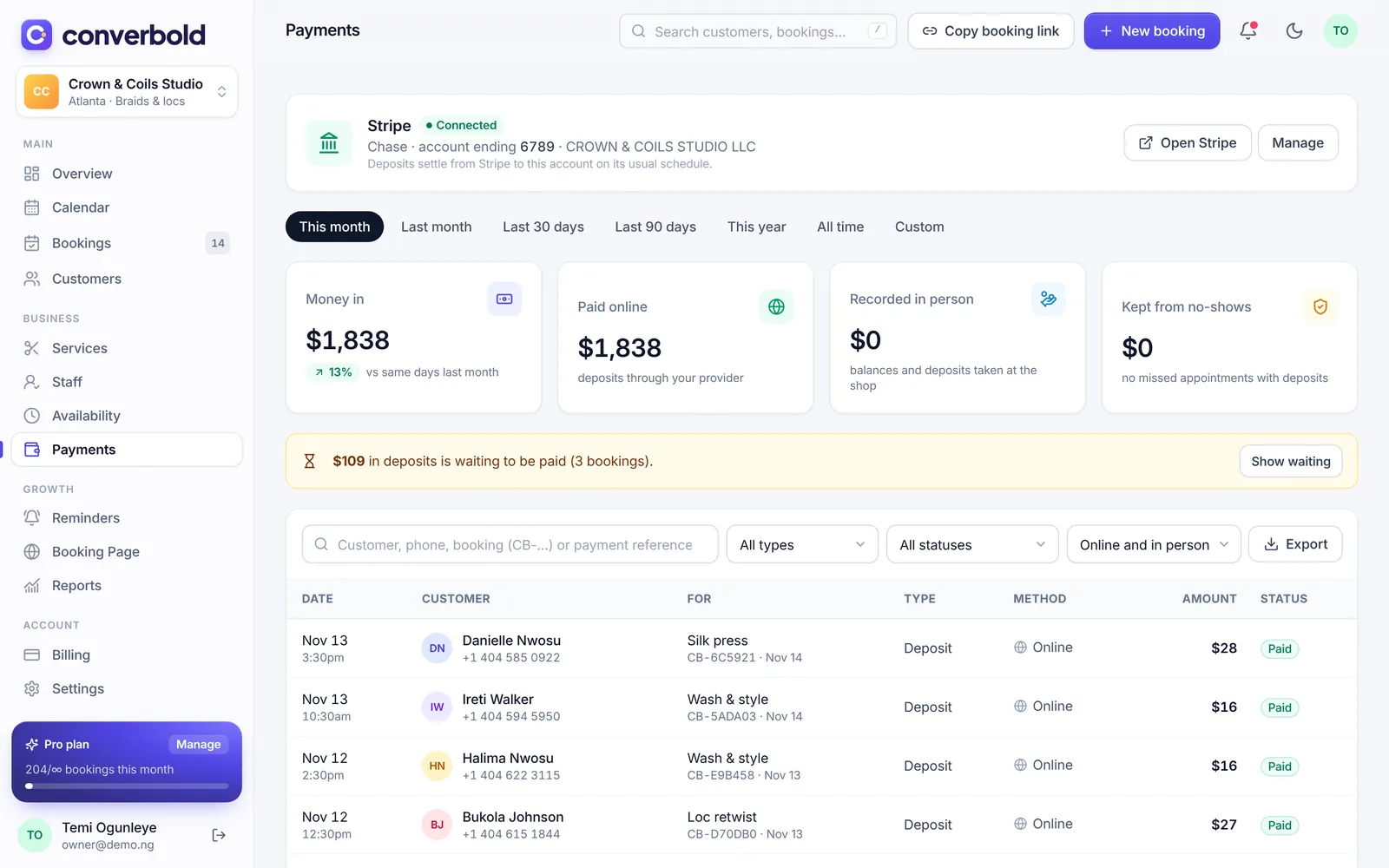
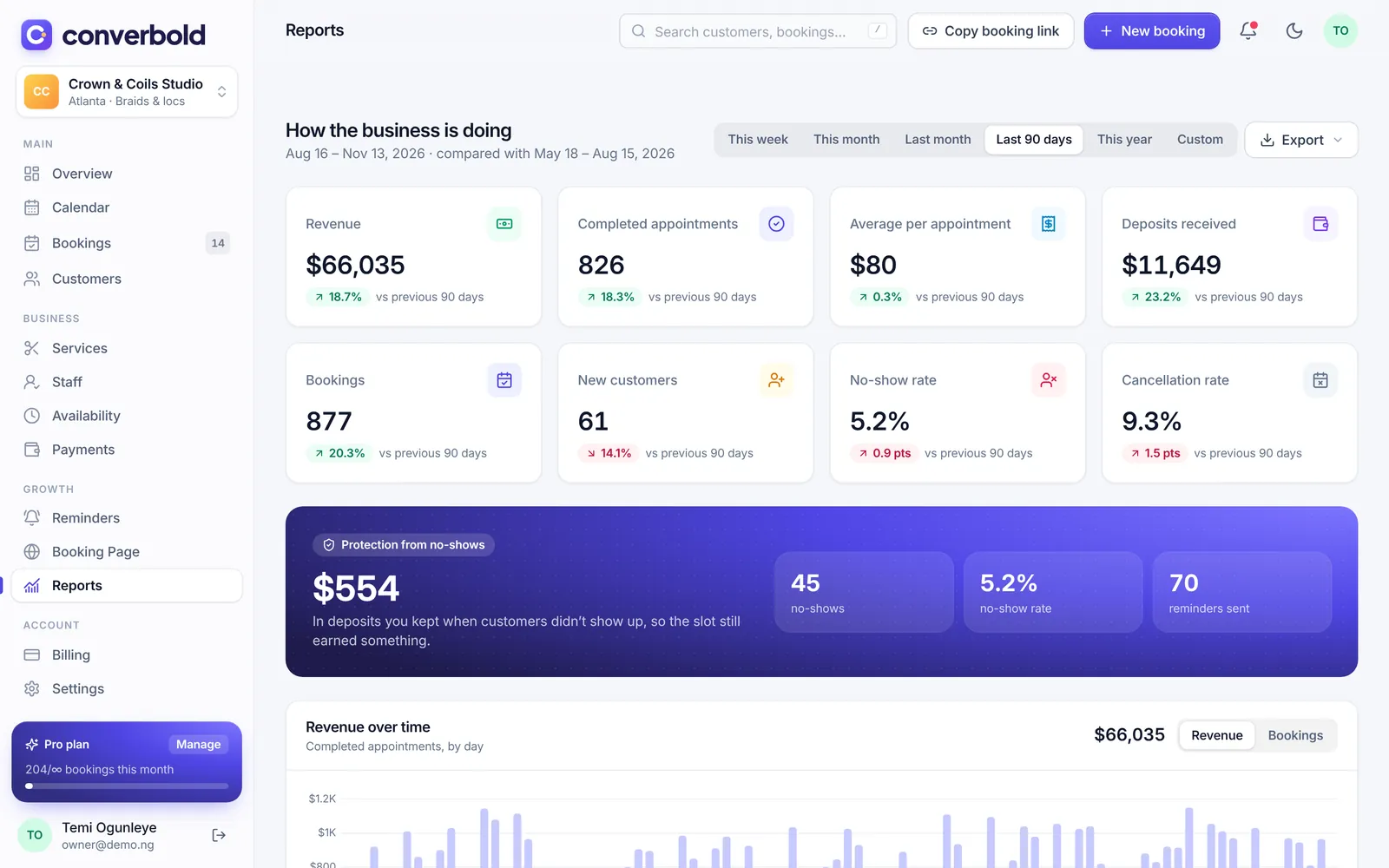
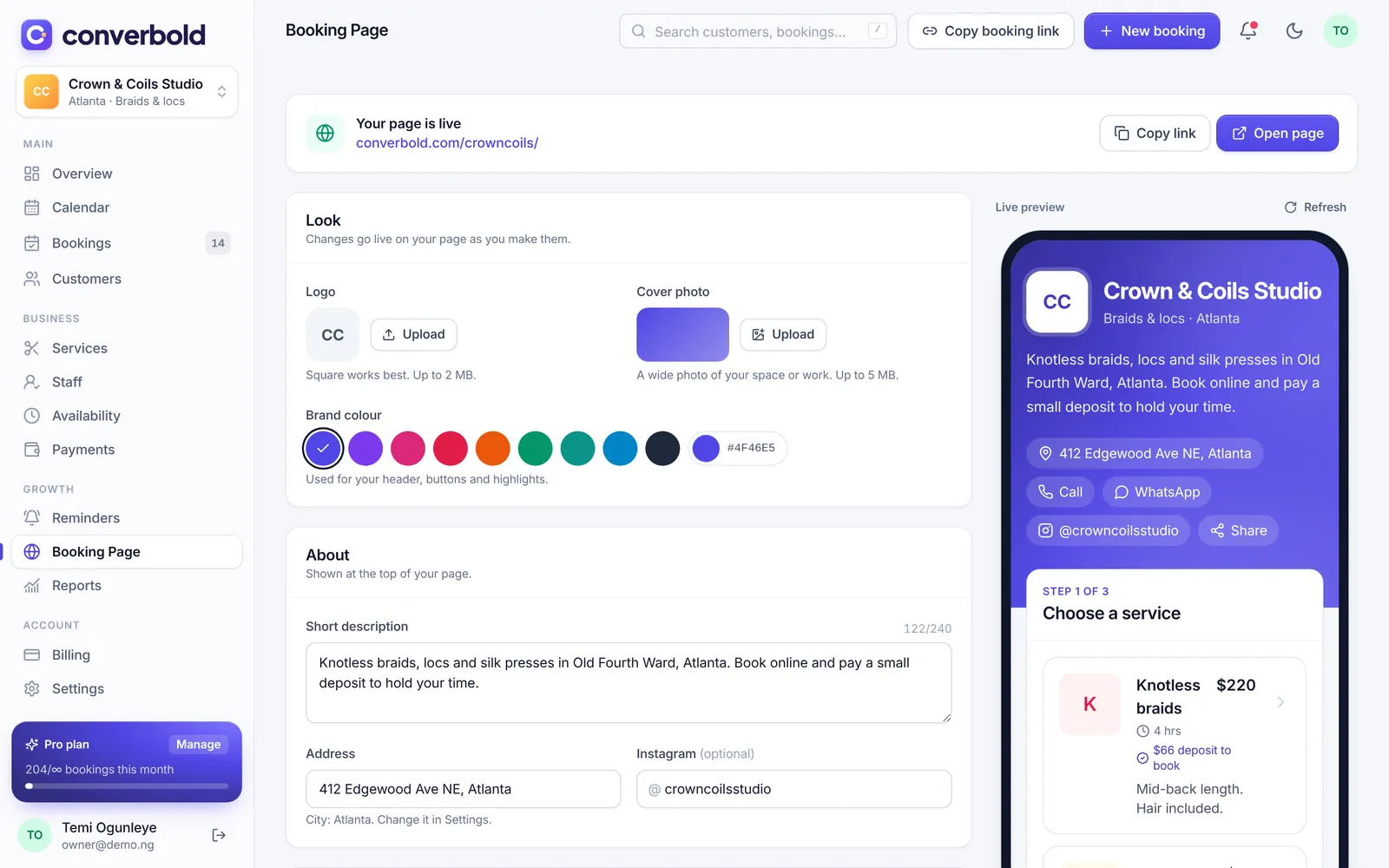
Your customer’s side
They pick a service, a stylist and a time, then pay the deposit. No app, no account, no back-and-forth in your DMs.
Your side
Mark today’s appointments done, see who’s in which chair and check how the year is going.
Your side
Mark today’s appointments done, see who’s in which chair and check how the year is going.
Everything your front desk does, done for you.
See all featuresDeposits that land in your account
A percentage, a fixed amount or the full price. Customers pay by card, transfer or USSD, straight to your bank.
One calendar for the whole team
Everyone gets their own column, hours and time off. Walk-ins and phone bookings go in the same place.
Know every customer by name
Visits, notes and what they paid, plus one-tap WhatsApp with the details already written.
Your hours, breaks and holidays
Public holidays for your country in one tap. Nobody books over lunch again.
Logins for your team
Staff see their own bookings and time off. Managers run the day. You keep the money side.
Made for businesses that sell time.
A chair, a room or a session. If customers book it, Converbold handles it.
- Hair salon
- Barbershop
- Braids & locs
- Nail salon
- Makeup artist
- Lashes & brows
- Spa & massage
- Skin care & facials
- Medical clinic
- Fitness & personal training
- Tutoring & lessons
- Photography
Your money goes straight to you.
Connect the payment provider that works in your country. Customers pay through it and it pays out to your bank. Converbold never holds your money or sees card details.
- PaystackNigeria, Ghana, Kenya, South Africa and Côte d’Ivoire. Cards, transfer and USSD.
- FlutterwaveAcross Africa, including mobile money where it’s available.
- StripeThe UK, Europe, the US, Canada, Australia and more. Cards, Apple Pay and Google Pay.
Start free. Upgrade when you’re busy.
Prices for Nigeria. See all plans and regions
Free
For trying Converbold out
forever
- 1 staff member (you)
- 50 bookings / month
- Email reminders
Starter
Most popularFor growing salons & studios
/month
- Up to 5 staff
- 300 bookings / month
- WhatsApp + SMS reminders
Pro
For busy, multi-chair businesses
/month
- Unlimited staff
- Unlimited bookings
- Advanced reports & exports
Founding members who subscribe by 2027-03-31 keep their price for as long as they stay subscribed.
Questions owners ask us
Something else? Get in touch
Do my customers need an app or an account?
No. They tap your link, pick a time, enter their name and number, and pay the deposit if there is one. It works in any phone browser.
When do I get the deposit money?
Deposits are paid through your own Paystack, Flutterwave or Stripe setup and settle to your bank on that provider’s normal schedule, often the next working day. Converbold doesn’t hold the money.
What happens if a customer cancels or doesn’t show up?
You set the rules: how late they can cancel for free, and whether a late cancellation keeps the deposit, refunds it or keeps it as credit. Customers see your policy before they book.
Can my staff use it too?
Yes. Each person has their own services, hours and time off. Give them a login to see their own bookings, or just let customers book them without one.
I already take bookings on WhatsApp. Can I still do that?
Of course. Add WhatsApp, phone and walk-in bookings to the same calendar in a few taps, and send customers a payment link when you want a deposit.
Is it really free?
The Free plan is free for as long as you like, for one person and up to 50 bookings a month. Upgrade when you add staff or get busier. No card is needed to start.
Claim your booking link.
It takes about ten minutes to add your services and hours. Your first customer could book tonight.