How to Stop Taking Bookings in Your DMs and Set Up an Online Booking Link
Tired of booking clients on WhatsApp and Instagram? Learn how one online booking link saves hours, prevents double bookings and fills your calendar.
If you run a salon, barbershop, nail studio, makeup business or any service that customers book, your phone probably never stops buzzing. "Are you free on Saturday?" "How much is it?" "What time do you have?" "Can I come after work?" Every message needs a reply, and most of them arrive while you are in the middle of serving someone else.
Booking through WhatsApp and Instagram DMs feels natural because it is where your customers already are. It is personal, it is free, and it got your business started. But once your business grows, the DMs start to work against you. This guide looks at the real cost of taking bookings in your messages, what an online booking link does differently, and how to set one up with Converbold in about ten minutes.
The Hidden Cost of Booking in Your DMs
Booking through messages looks free, but it costs you in ways that are easy to miss.
It eats your time
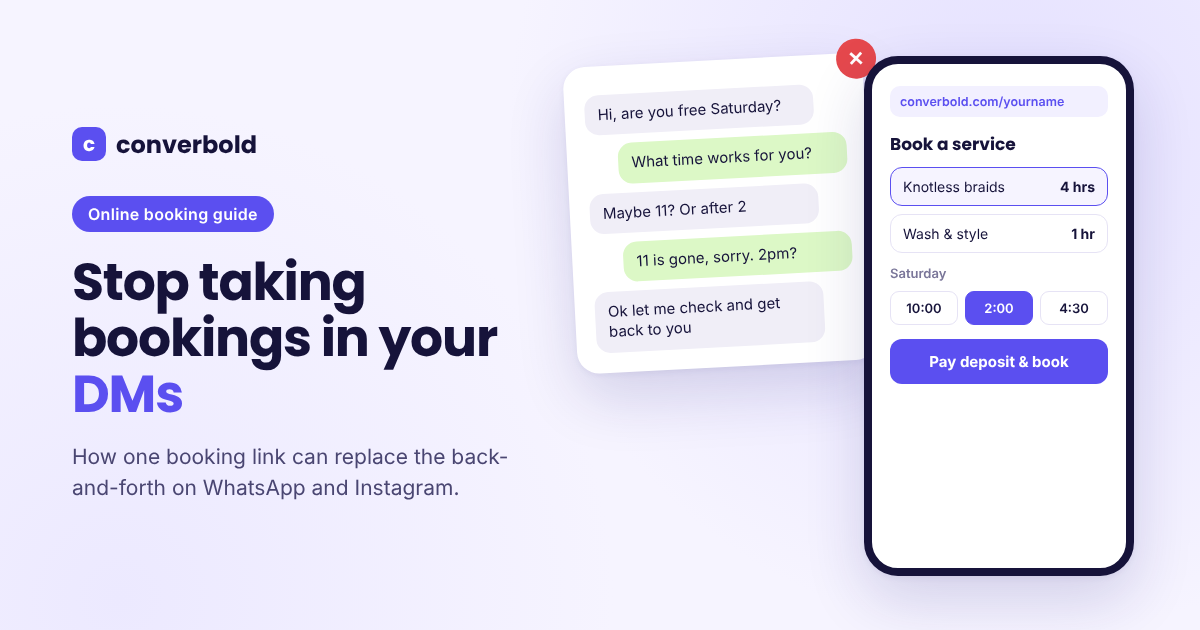
A single booking in the DMs is rarely one message. It is a conversation. The customer asks if you are free. You ask what time. They suggest a time that is already taken. You suggest another. They say they will check and get back to you. Sometimes they do, sometimes they don't. A booking that should take one minute stretches over hours or even days.
Now multiply that by every customer in a week. Many owners spend their evenings answering booking messages instead of resting, because that is the only time they are not busy with clients.
It leads to double bookings
When your schedule lives in your head, a notebook and a dozen chats, mistakes happen. You tell one customer 2pm is free, then forget you already promised it to someone on Instagram. Two people arrive at the same time and one of them leaves unhappy. Every double booking damages trust, even if it was an honest mistake.
It loses you customers
Customers who message you at 11pm do not always wait until morning for a reply. If you are slow to respond because you are busy or asleep, they might book with the next business that answers first. You never even find out you lost them.
It invites no-shows
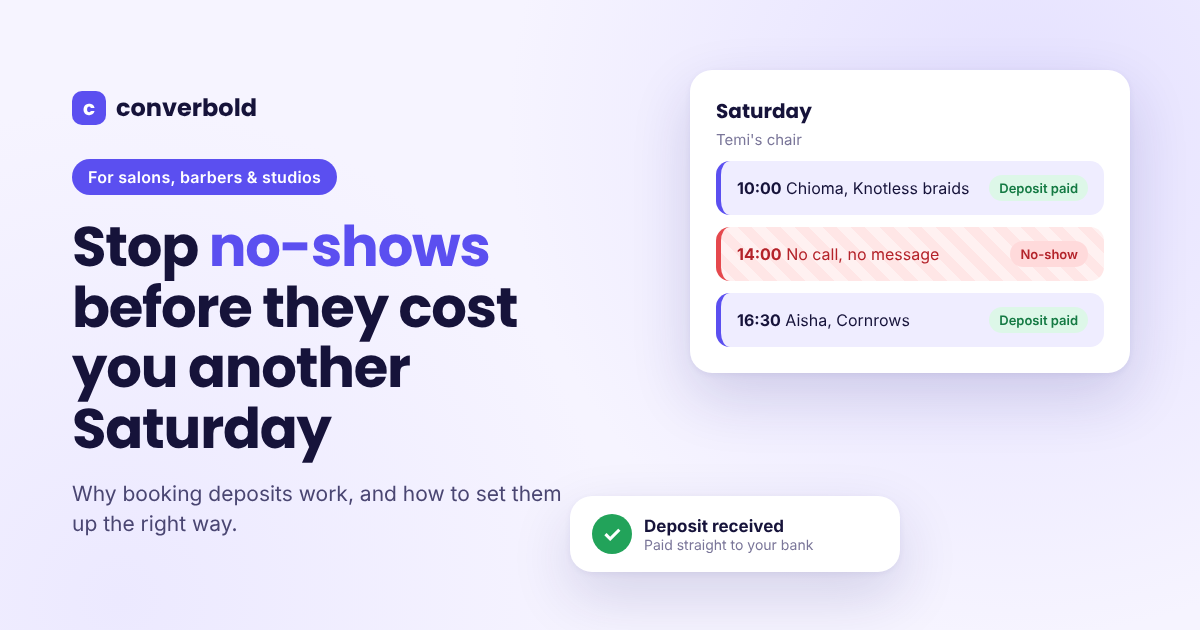
When booking costs nothing and happens in a casual chat, it is easy for the customer to forget or change their mind. There is no confirmation, no reminder and no deposit, so nothing makes the appointment feel real. The result is empty slots that you held for people who never came.
It keeps your business small
A booking process that depends on you personally replying to every message cannot grow. If you add staff, they need their own bookings, hours and days off, and juggling that through one phone quickly becomes chaos.
What an Online Booking Link Does Differently
An online booking link replaces the back-and-forth with a simple page where customers book themselves. Instead of asking you questions, they see the answers directly:
- Your services, with prices and how long each one takes.
- Your team, so they can choose who they want.
- Your real available times, so they can only pick slots that are actually free.
- Your deposit and cancellation rules, so there are no surprises.
The customer picks a service, picks a time, enters their name and phone number, pays the deposit if there is one, and the booking is done. You did not type a single word. It can happen at midnight, during your busiest hour, or while you are on holiday.
That is the core idea behind Converbold: a full calendar instead of a full inbox.
How Converbold's Booking Link Works
When you sign up for Converbold, you get your own booking page at converbold.com/yourname. It is built for phones first, because that is where customers tap your link from your bio or status.
For your customers
Your customers do not need to download an app or create an account. The page works in any phone browser. They can:
- Browse your services grouped by category, with photos, prices and durations.
- Choose a specific staff member, or pick "anyone available" to see the most open times.
- See only real openings. If a day is full, Converbold suggests the next free day.
- See times in your timezone, with a note if they are booking from abroad.
- Pay a deposit through Paystack, Flutterwave or Stripe, depending on what you have connected.
- Get a confirmation with add-to-calendar, directions and a WhatsApp button to reach you.
- Cancel themselves within the rules you set, instead of disappearing without a word.
For you
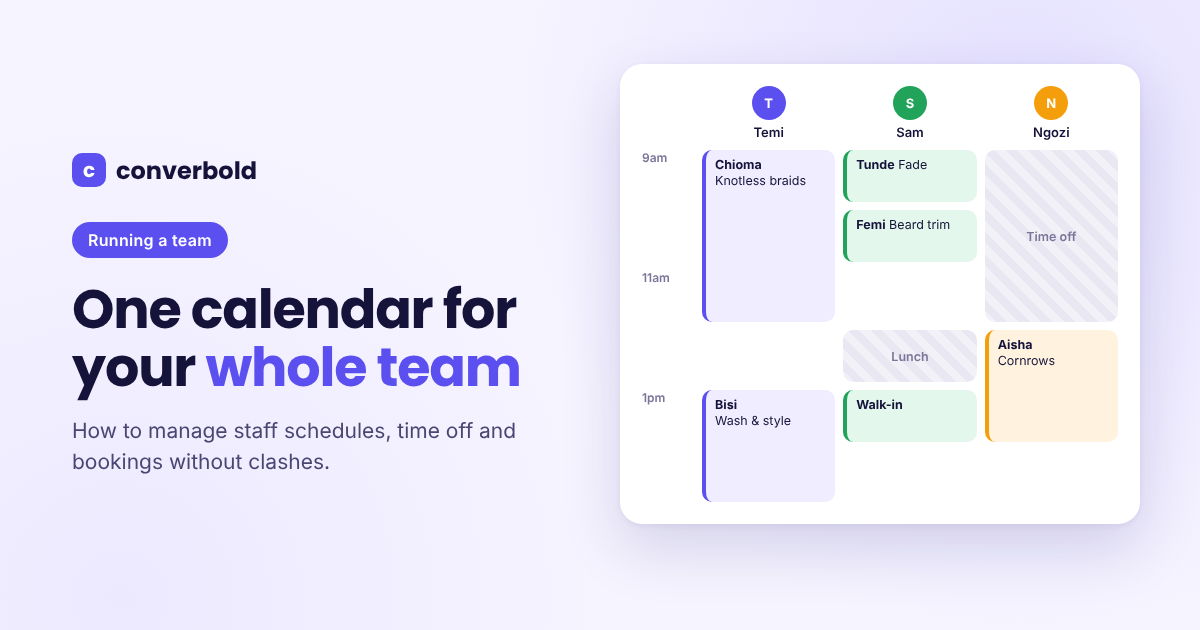
Every booking lands straight on your Converbold calendar. You can see the day by staff member, the week at a glance or the whole month. Closed hours, breaks and time off are shaded, so nobody books into them.
Your customer list builds itself too. Every booking adds to a customer's history, so you can see how often they visit, what they had last time, how much they have spent and any private notes your team left.
You Don't Have to Give Up WhatsApp
Moving bookings to a link does not mean ignoring customers who prefer to message you. Some regulars will always send a WhatsApp, and walk-ins will always walk in. That is fine.
With Converbold, you can add WhatsApp, phone and walk-in bookings to the same calendar in a few taps. Click an empty slot, enter the customer's details and the booking sits alongside the online ones. If you want a deposit from someone who booked by phone, send them a payment link on WhatsApp.
The difference is that your calendar becomes the single source of truth. Whether a booking came from the link, a call or a walk-in, it is all in one place and nothing gets double-booked.
You can also use one-tap WhatsApp from a customer's record in Converbold, with the booking details already written. You still get the personal touch of WhatsApp without retyping everything.
Setting Rules So the Calendar Works for You
One of the biggest advantages of a booking system over DMs is that you only explain your rules once. Converbold applies them to every booking automatically.
Opening hours and breaks. Set different hours for each day, including lunch breaks nobody can book over.
Cleanup time. Add buffer minutes after a service so you are never rushed straight into the next customer.
Minimum notice. Stop last-minute surprise bookings by requiring anywhere from one hour to two days of notice.
How far ahead. Decide whether customers can book one week out or up to a year in advance.
Holidays and closures. Add the public holidays for your country in one tap, plus any days you choose to close.
Pause bookings. Going on holiday? Switch off new bookings without losing anything you already have.
Running a Team Without the Chaos
If you have staff, booking through one person's phone becomes difficult fast. Converbold gives everyone who takes appointments their own photo, services, hours and time off.
You decide how much access each person gets:
- Owner: everything, including billing, payouts and exporting data.
- Manager: runs the day, with access to bookings, services, staff, hours and customers.
- Staff: sees their own calendar and bookings, marks them done and manages their own time off.
- No login: still bookable on your page, but managed by you.
That means your stylists or barbers can check their own schedule without asking you, and you keep control of the money.
Where to Share Your Booking Link
A booking link only works if customers can find it. Put it everywhere people already look for you:
- Your Instagram bio. This is often the first place a new customer goes. Replace "DM to book" with your Converbold link.
- Your WhatsApp status and business profile. Post it regularly so regulars remember they can book themselves.
- Your Google Business profile. Customers searching for a salon or barber nearby can book straight from your listing.
- Your auto-replies. Set a WhatsApp Business away message that shares your link, so late-night enquiries still become bookings.
- Your shop. Print a QR code that points to your link and put it at the front desk or mirror.
When someone sends a DM asking if you are free, you can simply reply with your link. They will see every available time in one place instead of waiting for you to list them.
How to Set Up Your Converbold Booking Link
Most people finish setup in about ten minutes:
- Sign up for free at converbold.com. No card is needed.
- Claim your link, such as converbold.com/yourbusinessname.
- Add your services, with prices, durations and any deposit you want.
- Set your hours, breaks and days off.
- Add your team if you have one.
- Connect a payment provider (Paystack, Flutterwave or Stripe) if you want to take deposits.
- Customise your booking page with your colours, photo and description, and watch it update as you type.
- Share your link and let customers start booking.
Which Converbold Plan Is Right for You?
Converbold is free to start. The Free plan covers one person and up to 50 bookings a month, which is plenty for trying it with your real customers. As you grow, the Starter plan adds up to 5 staff, 300 bookings a month, online deposits and WhatsApp and SMS reminders. The Pro plan gives you unlimited staff and bookings, advanced reports and exports, and lets you remove Converbold branding from your page.
Prices are set for your region and billed in your local currency, and yearly plans come with two months free. Businesses that subscribe to Starter or Pro by 31 March 2027 also keep their founding member price for as long as they stay subscribed. You can see the full details on the Converbold pricing page.
Your DMs got your business this far, but they were never built to be a booking system. A single link that shows your real availability, takes deposits and fills your calendar while you work gives you back your evenings and your peace of mind. Claim your free Converbold booking link and let your customers book themselves.
Written by
Converbold
We build Converbold for businesses that run on appointments. Questions or ideas for a guide? Tell us.